MAUI Forge — My second open source project, and why it exists
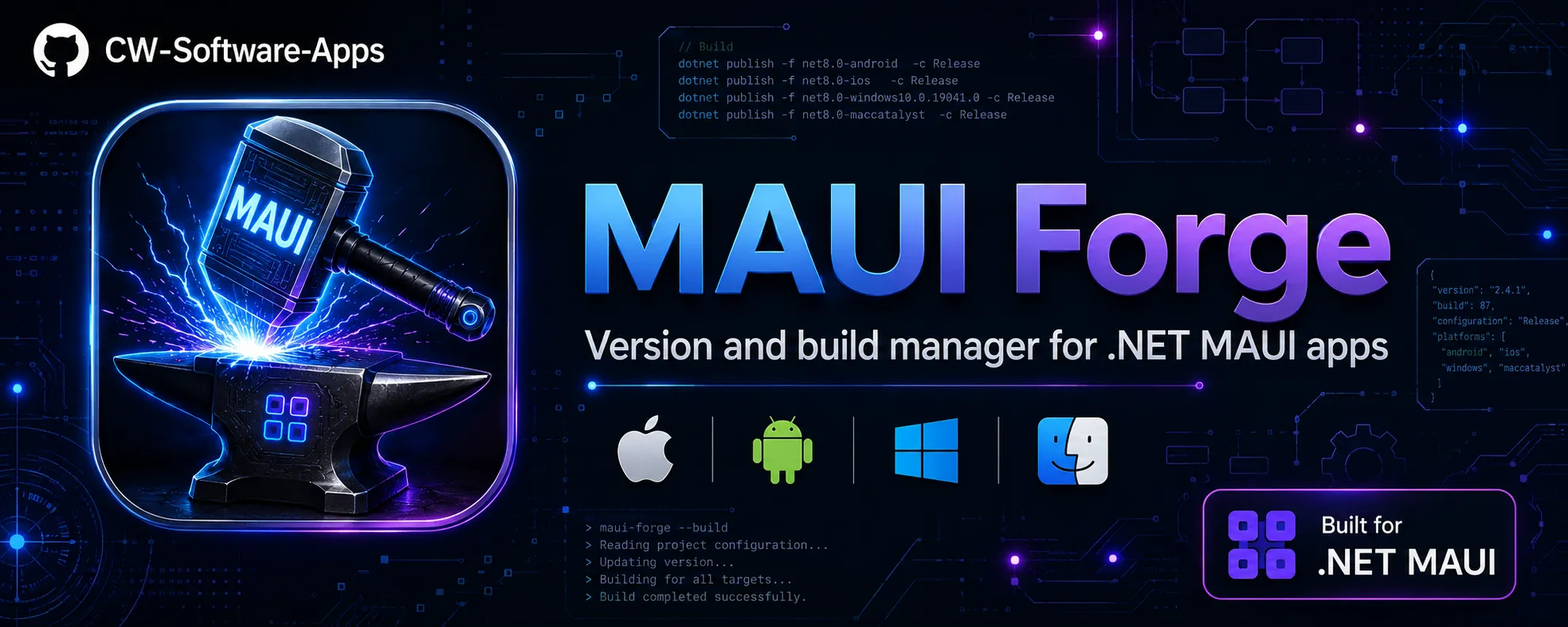
Meet MAUI Forge, an open source CLI tool to automate versioning, build, and device management in .NET MAUI projects.
MAUI Forge — My second open source project, and why it exists
This week, I open-sourced MAUI Forge on GitHub. It is my second public project, and much like my first one—Papiro, a native HTML to PDF converter for .NET MAUI—this tool was born out of sheer necessity. It solves a recurring weekly headache I simply couldn't ignore anymore.
The problem: 2,700 lines of PowerShell
At CW Software, I maintain more than a dozen .NET MAUI applications. Every time I prepared a release—whether it was a minor layout adjustment or a major feature—I repeated the same tedious ritual:
- Open
Info.plist, updateCFBundleShortVersionStringandCFBundleVersion. - Open
AndroidManifest.xml, updateandroid:versionNameandandroid:versionCode. - Open the
.csproj, updateApplicationDisplayVersionandApplicationVersion. - Double-check that no numbers were mistyped across the three files.
- Commit, tag, and build.
Multiply this by 12 apps across both iOS and Android, and you can see why automation became a necessity.
The Manual Risk
Inconsistent versioning between platform-specific manifests and the project file is one of the easiest ways to break a CI/CD pipeline or cause confusing deployment errors in the App Store/Play Store.
The first iteration was a massive PowerShell script—maui-version.ps1—clocking in at nearly 2,700 lines. While it worked, it was difficult to maintain, impossible to distribute easily, and strictly limited to Windows.
The rewrite in C#
In early 2025, I decided to rewrite the tool from scratch in C#. This allowed me to leverage the best of the .NET ecosystem for CLI development:
- Spectre.Console: Powers the entire UI, including tables, interactive menus, colored panels, and progress indicators.
- Microsoft.Extensions.DependencyInjection: Used to keep services clean and organized.
- dotnet tool: Enables single-line installation across any platform (Windows, macOS, Linux).
The result is MAUI Forge: an interactive terminal tool that scans a directory, identifies all MAUI apps, displays their current versions and git status, and manages updates without manual file editing.
dotnet tool install -g CwSoftware.MauiForge
maui-forge --path ~/projects
MAUI Forge in practice
When you open the terminal and type maui-forge, you are greeted with a comprehensive table of your projects:
                      iOS               Android           Branch        Git
── Apps (12) ──────────────────────────────────────────────────────────────
+ MyApp               1.4.3 #19         1.4.3 #19         main          clean
* ShippingApp         2.0.0 #103        2.0.0 #103        release/2.0   +2
* OtherApp            1.0.0 #5        ! 1.0.1 #6          feature/x     ~
! LegacyApp           2.1.0 #40         2.1.0 #40         main          -3
By selecting an app, you access the action panel:
-- Version ──────────────────────────────────────────────────────
  v+   Increment Version + Build    2.0.0 -> 2.0.1  #103 -> #104
  b+   Increment Build only         #103 -> #104
  ~~   Set version manually
  <>   Sync iOS -- Android
-- iOS ──────────────────────────────────────────────────────────
  [#]  Archive iOS (Release)        Apple Distribution
  [>]  Run iOS Device               Cezar's iPhone
-- Android ──────────────────────────────────────────────────────
  [>]  Run Android Device           R5CX208XXXX
  [#]  Publish Android (Release)    net9.0-android
The v+ command updates all three necessary files simultaneously, provides a preview for confirmation, and can optionally perform a git commit with a standard message:
chore: bump version to 2.0.1 #104 (ShippingApp)
Solving the Mac + VS Code headache
I typically develop on Windows but rely on a Mac for iOS builds—either via SSH or locally. While VS Code with the MAUI extension is a solid setup, it has a recurring limitation: it doesn't easily allow you to switch target devices or simulators per project.
To switch simulators, you often have to dig into launch settings, find the UDID, and manually assemble the correct command. This is manageable for one project, but frustrating for twelve.
MAUI Forge simplifies this. When you select "Run iOS Device," a dynamic menu appears:
  > iPhone 16 Pro (simulator)
  > iPhone 15 (simulator)
  > Cezar's iPhone — physical device ✓
  > iPad Pro 13" (simulator)
  > iPad Air (3rd gen) — iOS 16 ✓
Behind the scenes, it executes xcrun xctrace list devices, parses the list, and triggers dotnet build -t:Run with the correct UDID. It even remembers your selected device per project.
Rescuing legacy hardware
One specific detail that saved me: Old iPads. VS Code typically only lists devices running the latest compatible iOS version. I have an older iPad Air that Apple no longer supports with updates. VS Code simply ignores it.
Because MAUI Forge uses the full output of xcrun, it identifies all connected and trusted devices regardless of the iOS version. This allows me to continue debugging on older hardware—exactly the kind of devices my users still use in the field.
Distribution as a dotnet tool
Distributing the project as a dotnet tool was a strategic choice. Since every MAUI developer already has the .NET SDK, installation is seamless:
Quick Setup
To get started or keep your version current, use these commands:
dotnet tool install -g CwSoftware.MauiForge
dotnet tool update -g CwSoftware.MauiForge
The publishing process to NuGet is automated via GitHub Actions. Whenever I tag a version (e.g., v1.0.5), the workflow triggers the package and upload:
- name: Pack and push
  run: |
    dotnet pack -p:Version=${{ env.VERSION }} -o ./nupkg
    dotnet nuget push ./nupkg/*.nupkg --api-key ${{ secrets.NUGET_API_KEY }} --source https://api.nuget.org/v3/index.json
The tool also includes a discreet startup check to notify you if a newer version is available on NuGet, ensuring you stay up to date without interrupting your workflow.
Project Structure
For those interested in contributing or exploring the codebase, the architecture is designed for simplicity:
src/MauiForge/
├── Program.cs              ← Entry point, DI container, main loop
├── Models/                 ← Immutable records (AppEntry, GitStatus, etc.)
├── Services/               ← Logic for Discovery, Versioning, Git, and Build
└── UI/                     ← Spectre.Console screens and logic
I used immutable records for the models; the UI never mutates an AppEntry. Instead, it refreshes data from the source when changes occur. Persisted settings (like your preferred device) are stored in ~/.maui-forge.state.json, keeping your project folders clean.
What's ahead
The roadmap for MAUI Forge includes several features to further streamline the developer experience:
- Support for multiple configured Macs (ideal for separate CI/Build machines).
- Changelog integration: view commits since the last version bump.
- Auto-generation of release notes within git tags.
If you use .NET MAUI and want to eliminate manual versioning overhead, give it a try. I’m actively looking for feedback, so issues and PRs are highly encouraged!
- GitHub: CW-Software-Apps/maui-forge
- NuGet: CwSoftware.MauiForge

Comments
Have a question, or found an issue with the code? Drop a comment below — I read and reply to every one.